KSeF invoices arrive on their own wherever you need them.
KSeF, Poland’s national e-invoicing system, is already mandatory for most companies, and downloading invoices from the KSeF Taxpayer App by hand quickly turns into a daily job for someone on the team. The integration connects KSeF with your system, accounting or client panel, so invoices come in and go out automatically.
- 1 panel for KSeF invoices of many companies
- Official API no middleman, no per-invoice fee
- 2 working days to a quote after the call
KSeF works, but invoices still move by hand.
- 01
Invoices downloaded by hand
Someone regularly logs in to the KSeF Taxpayer App, downloads invoices and passes them on. With several companies or hundreds of invoices a month, that is hours of work every week.
- 02
Your software is not connected to KSeF
The sales system, ERP or in-house app has no integration, or only a partial one. Invoices are created in one place and sent to KSeF from another.
- 03
An accounting firm serves many companies
Every client means separate permissions and separate invoices. Without a shared panel it is easy to miss a document or assign it to the wrong company.
- 04
Statuses and errors get lost
A rejected invoice, a missing KSeF number, a duplicate. Without automatic checks these surface only at month end, and from 2027 such mistakes can be penalised.
Every company in one panel.
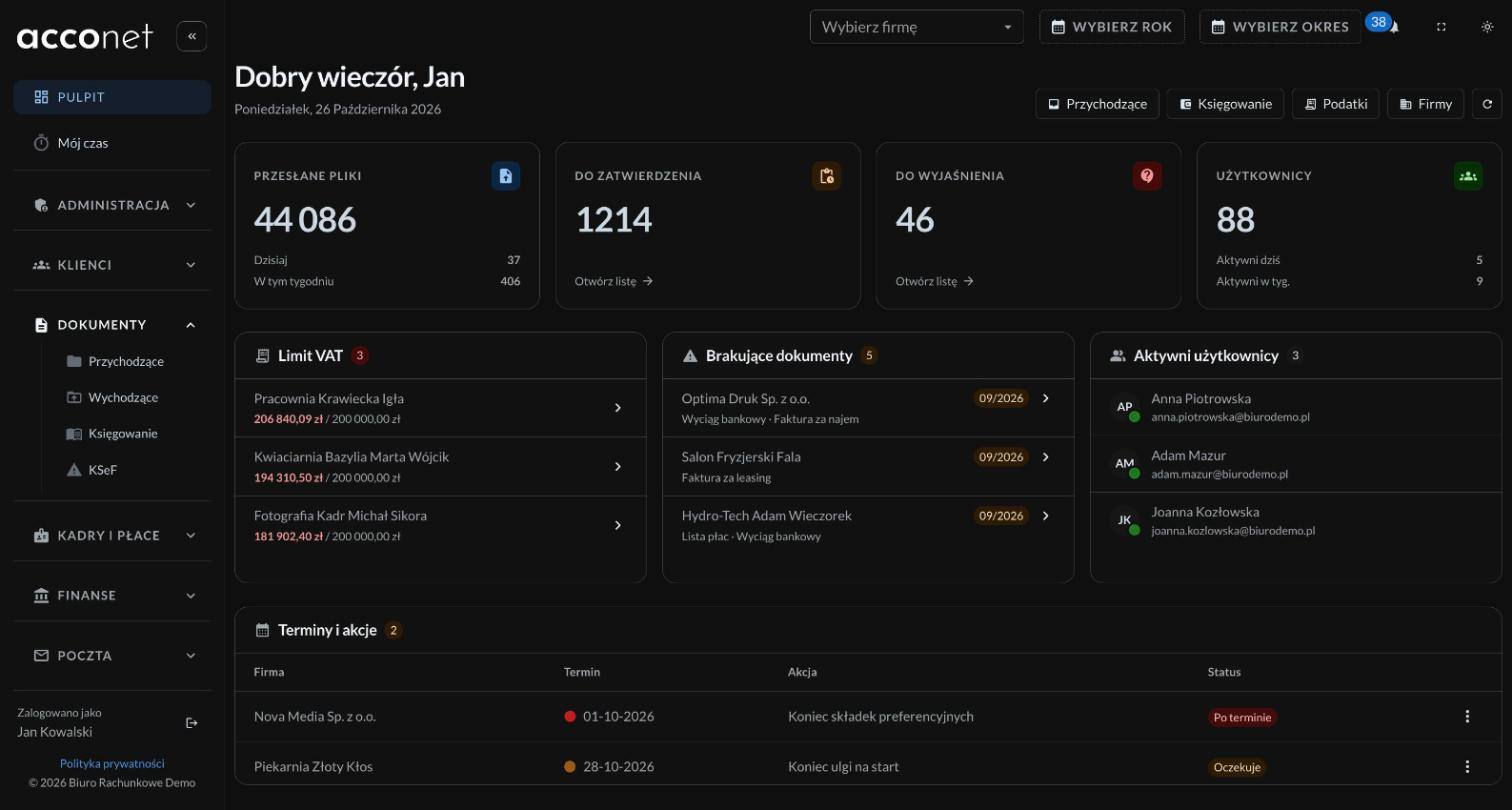
Purchase invoices are fetched from KSeF and assigned to the right company by tax ID, while sales invoices go straight from your system and come back with a KSeF number. Rejected invoices and duplicates show up at once, not at month end.
What the integration covers.
Receiving and sending
- Automatic download of purchase invoices from KSeF
- Sending sales invoices straight from your system
- KSeF numbers and statuses attached to every invoice
- Checks for rejected invoices and duplicates
Many companies and permissions
- Invoices of every company you serve in one panel
- KSeF access set up separately for each company
- Team roles that decide who sees which clients
- Invoice search by tax ID, amount and date
Connections and next steps
- Integration with your ERP, accounting software or own app
- A readable invoice preview instead of raw XML
- Notifications about new and rejected invoices
- Accounting exports and reports
From a call to a working integration.
- 01 written scope
Call and review
Which systems already run, how many companies and invoices, who will use them. It ends with a written scope and rollout plan.
- 02 tests on samples
Connection and tests
The integration runs first against the KSeF test environment, then with your system. You check it on sample invoices before anything reaches production.
- 03 production launch
Rollout
Production launch, access set up for each company and the team, and a short training on the panel.
- 04 ongoing care
Upkeep
The Ministry of Finance updates the API and invoice schemas, and the integration has to keep up. Monitoring and adjustments on a care plan.
What a KSeF integration costs.
The cost depends on what KSeF has to connect with and how many companies you serve. After a free consultation you get a quote with scope and deadline within 2 working days.
Always included
- Tests in the KSeF test environment
- Handling of errors, retries and statuses
- Documentation and full access to the code
- Team training
- Infrastructure on your own account or server
What drives the price
- Number of companies and users
- Systems to connect, such as an ERP or accounting software
- Invoices per month
- Receiving, sending or both
- Extras, such as AI reading invoice contents
An integration that keeps up with KSeF.
-
Official KSeF API
A direct connection to the Ministry of Finance API, with no middleman and no fee per invoice. Changes to the API and schemas are rolled out as part of ongoing care.
-
Checked before sending
Each invoice is checked against the FA(3) structure before it reaches KSeF. Errors show up on your side, not in a rejection or at settlement time.
-
Resilient to outages
Downloads and sending run in the background and are retried when KSeF does not respond for a while. An invoice is not lost during an outage on the ministry side.
-
AI for invoice contents
Optionally, an AI model describes and classifies invoice lines, so bookkeeping starts from a ready suggestion instead of an empty form.
Projects that speak for themselves.
Questions about KSeF.
Yours is not here? Ask during the consultation or send a message.
-
Many programs support KSeF only for their own use. An integration makes sense when invoices have to move on, into an ERP, a sales system, a client panel or several companies at once, without manual copying.
-
It depends on whether the software accepts data through an API, file imports or its database. At the consultation it is enough to name it, and the way to connect comes with the quote.
-
For large companies, with 2024 sales above PLN 200 million, from 1 February 2026. For all others from 1 April 2026, and for the smallest taxpayers from 1 January 2027. Penalties for errors in KSeF invoicing also apply from 2027.
-
Yes. One of the projects is a platform for an accounting firm where KSeF invoices of every client land in one panel, already assigned to the right company.
-
The integration uses permissions granted in KSeF, separately for each company. Credentials are stored encrypted, and permissions can be revoked on the KSeF side at any time.
-
Jobs wait in a queue and are retried automatically. Invoices are not lost, and their numbers and statuses fill in once the system responds again.
-
It depends on the systems KSeF has to connect with, and you get the deadline with the quote. A simple one-way integration is a very different scale from a panel for a firm serving many companies.
-
You do. The code and the infrastructure belong to your company, and the repository moves to your account right away or at any point. There is no per-invoice subscription and no lock-in to a single vendor.
-
On a care plan the integration is adjusted to changes as they come, and monitoring catches rejected invoices right away.
The first step is a 30-minute call.
No fees and no strings attached. Describe what you want to build or improve. Within 2 working days you get a quote and a plan, or an honest note that a simpler solution will do.