An accounting firm where documents file themselves.
An accounting firm serving dozens of companies needed to bring order to how documents arrive from clients and how it works with KSeF, Poland’s national e-invoicing system. The result is a platform where AI recognises and describes every document, and KSeF invoices reach the system automatically. The accounting team now works with complete, well-organised data.
- 50,000+ documents read and described by AI
- 76 client companies in one panel, each with KSeF
- 58 document types recognised automatically
Every client sent documents their own way.
With dozens of client companies, every small mess was multiplied by the number of clients.
- 01
An inbox instead of a system
Invoices in e-mails, photos from phones, PDFs with no name. Finding a month-old document took longer than booking it.
- 02
File names depended on who was on duty
The convention existed on paper. In practice the same purchase invoice was FKZ one day and scan_0231.pdf the next.
- 03
KSeF for every client separately
Every company’s invoices wait in a government portal. Someone had to log in to each one separately, every day.
- 04
Working time by feel
The firm bills for its time too, but nobody knew which client took the team twice as long as they paid for.
A document’s path from upload to folder.
A person steps in only when the AI is not sure.
- upload
A client uploads a document, or an invoice arrives from KSeF.
- reading
AI recognises the document type and extracts its data.
- filing
The file is named by the firm’s convention, filed in its folder and checked for duplicates.
- decision
Doubtful cases go to an administrator as an alert.
- done
The accountant sees the finished document, the client sees the status.
One platform for the firm and its clients.
-
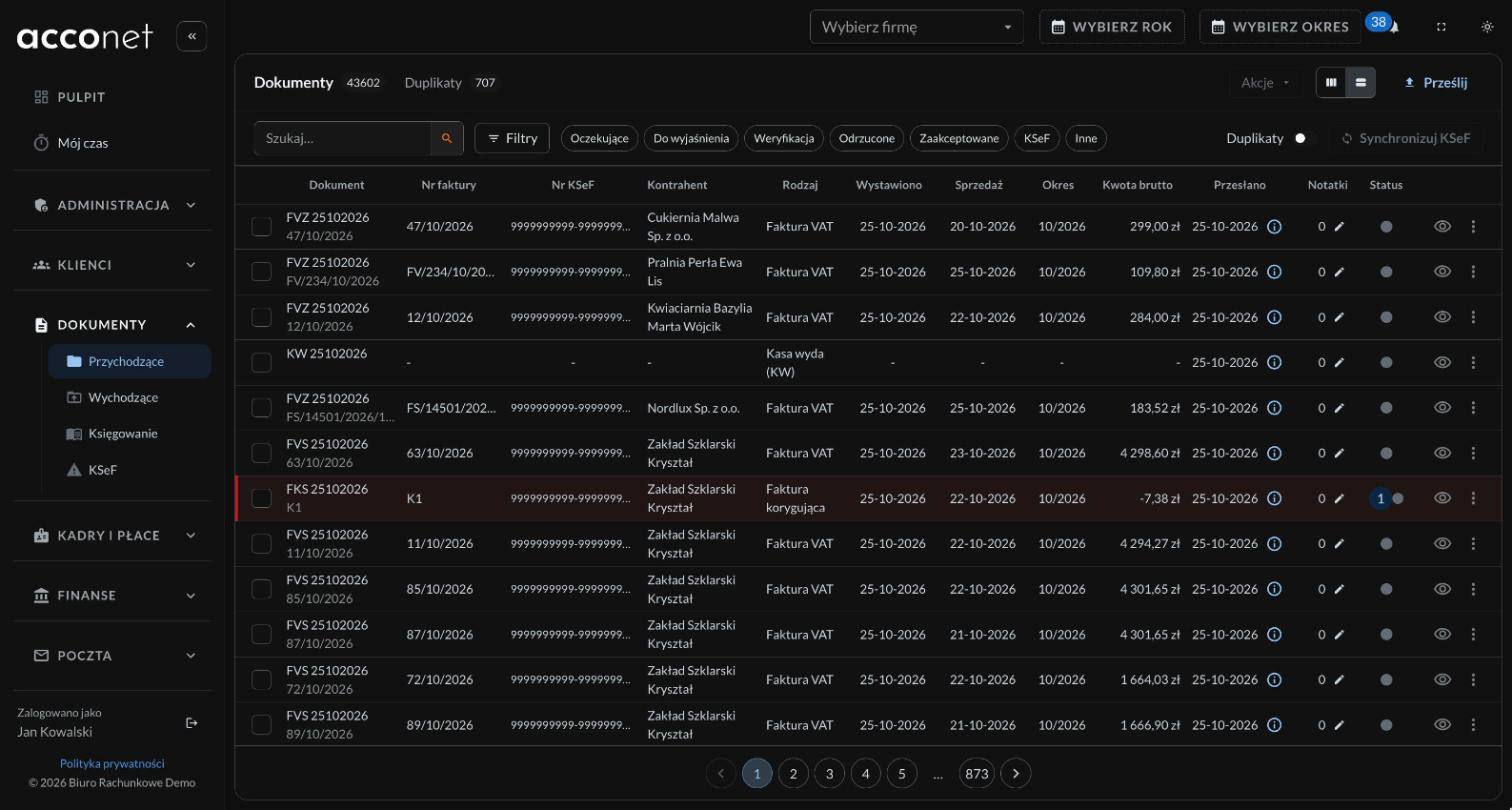 01
Clients upload a document and see its status
Every company has its own account, and login works through a link from e-mail, with no password. An uploaded document reaches the accountant right away, and the client sees its status until it is booked. Nobody has to call and ask “did you get it?”.
- Separate permissions for each company: documents, taxes or upload only
- Documents from the firm to the client in the same place
-
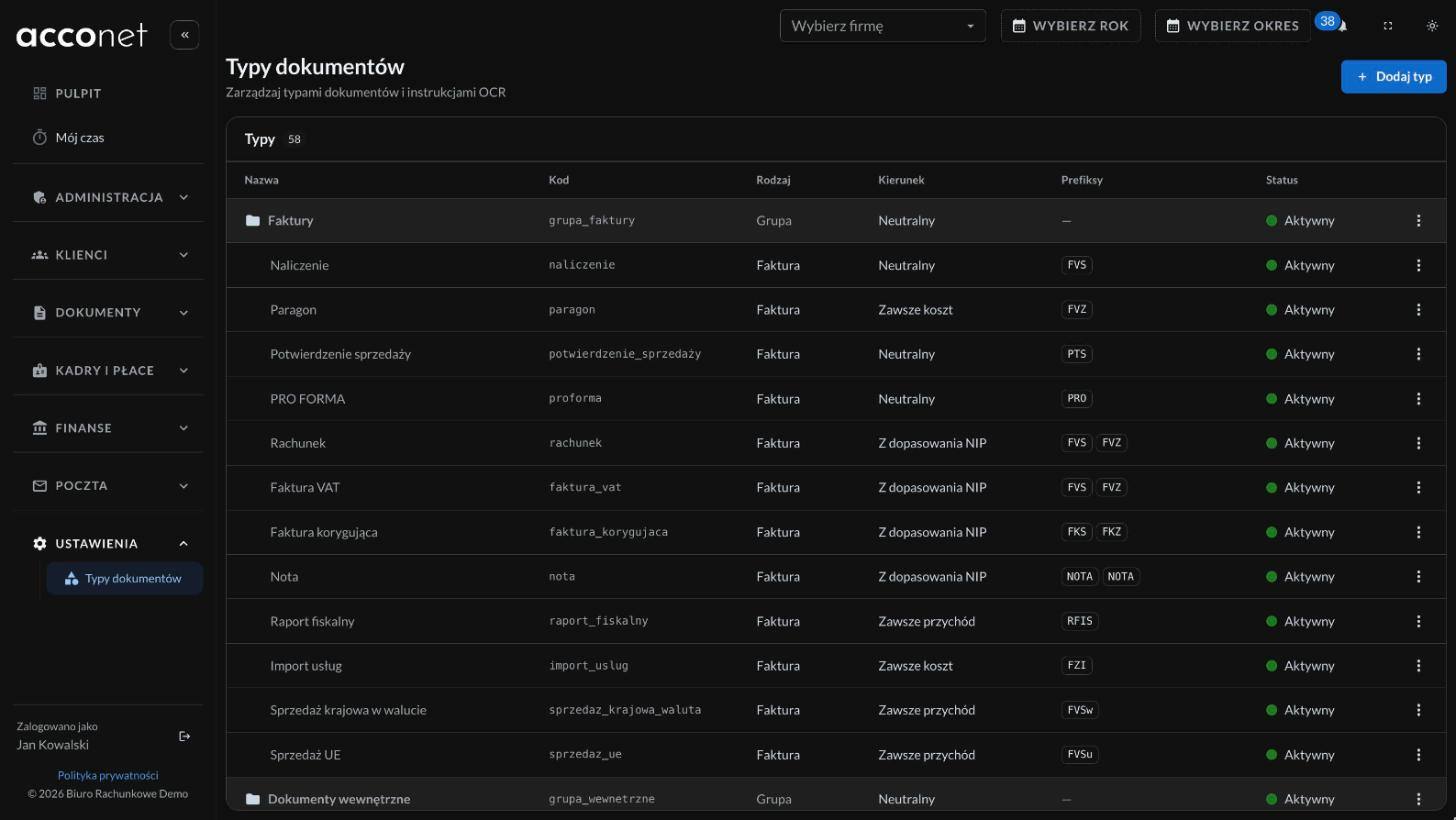 02
AI reads, names and files
AI recognises the document type, reads amounts, dates, tax IDs and the invoice number, then names the file by the firm’s convention, for example FVZ 14102026 FV/12/10/2026. When it is unsure, it does not guess. The document goes to an administrator instead.
- New document types are added by the administrator in the panel
- Duplicates caught automatically
-
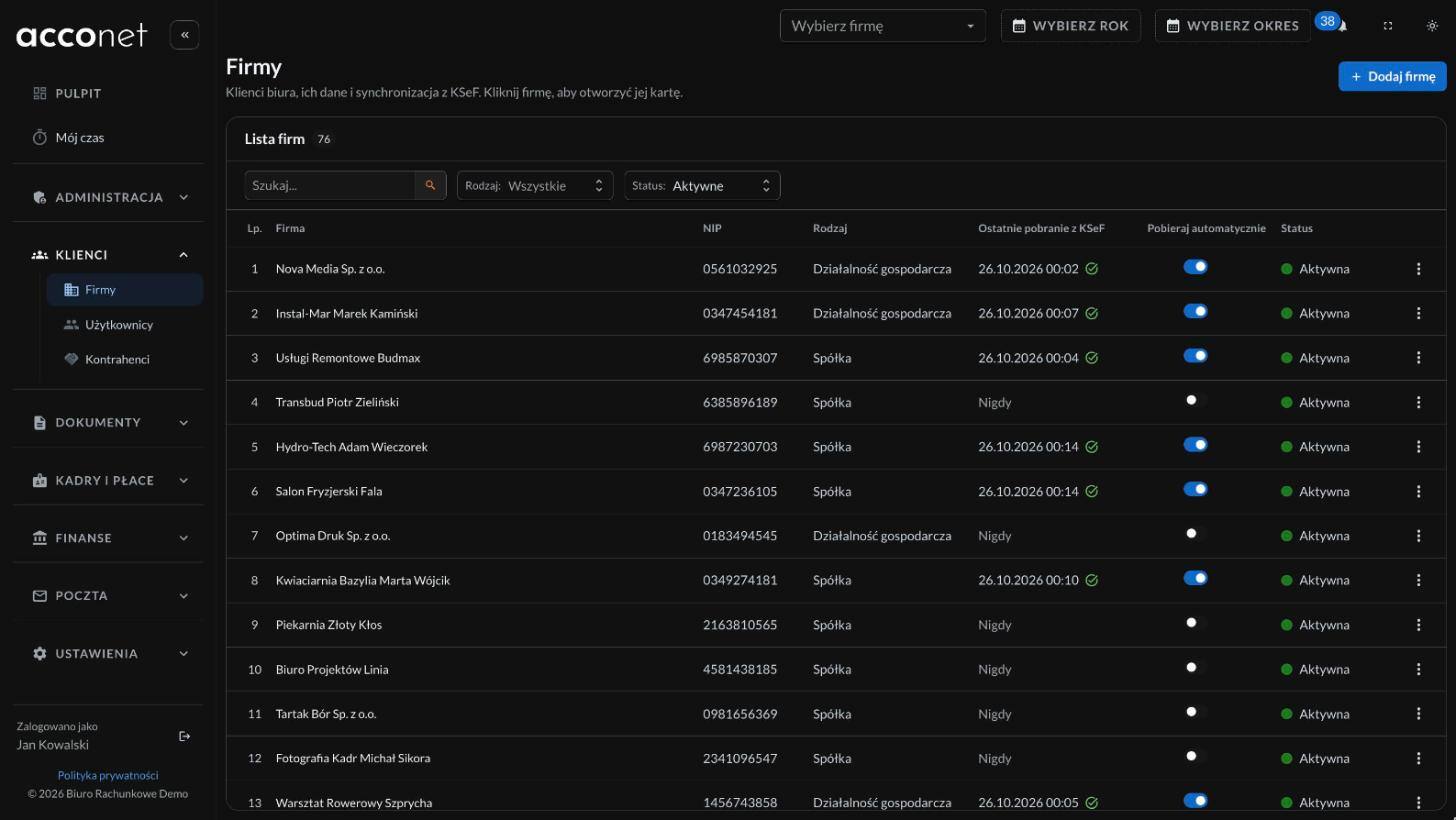 03
KSeF without logging in to every company
The platform regularly pulls each company’s new sales and purchase invoices from KSeF, matches them to documents already there and turns the XML into a readable PDF. Accountants no longer log in to KSeF separately for every client.
- Only new invoices, no duplicates
- Nightly consistency check with an e-mail report
-
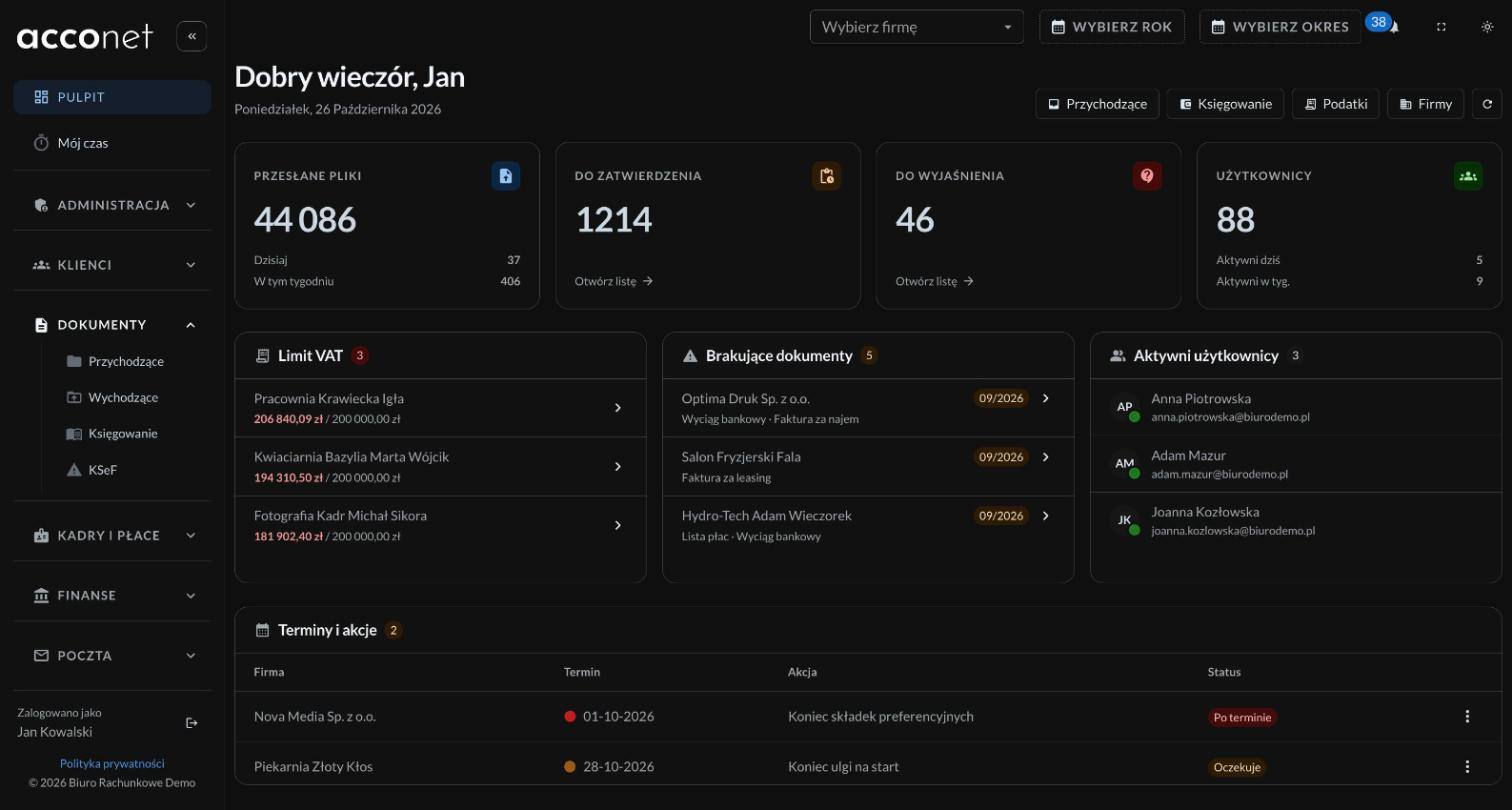 04
The rest of the firm’s work in the same panel
A queue of documents awaiting a decision, a list of missing documents for every period and export to the accounting software. Clients get an e-mail with the tax due, with the amount, deadline and account number, and mark it as paid in the panel. Company details fill in from the tax ID, and VAT status on the Ministry of Finance whitelist is checked continuously.
- Each employee sees only the modules they need
- Change history shows who did what and when
-
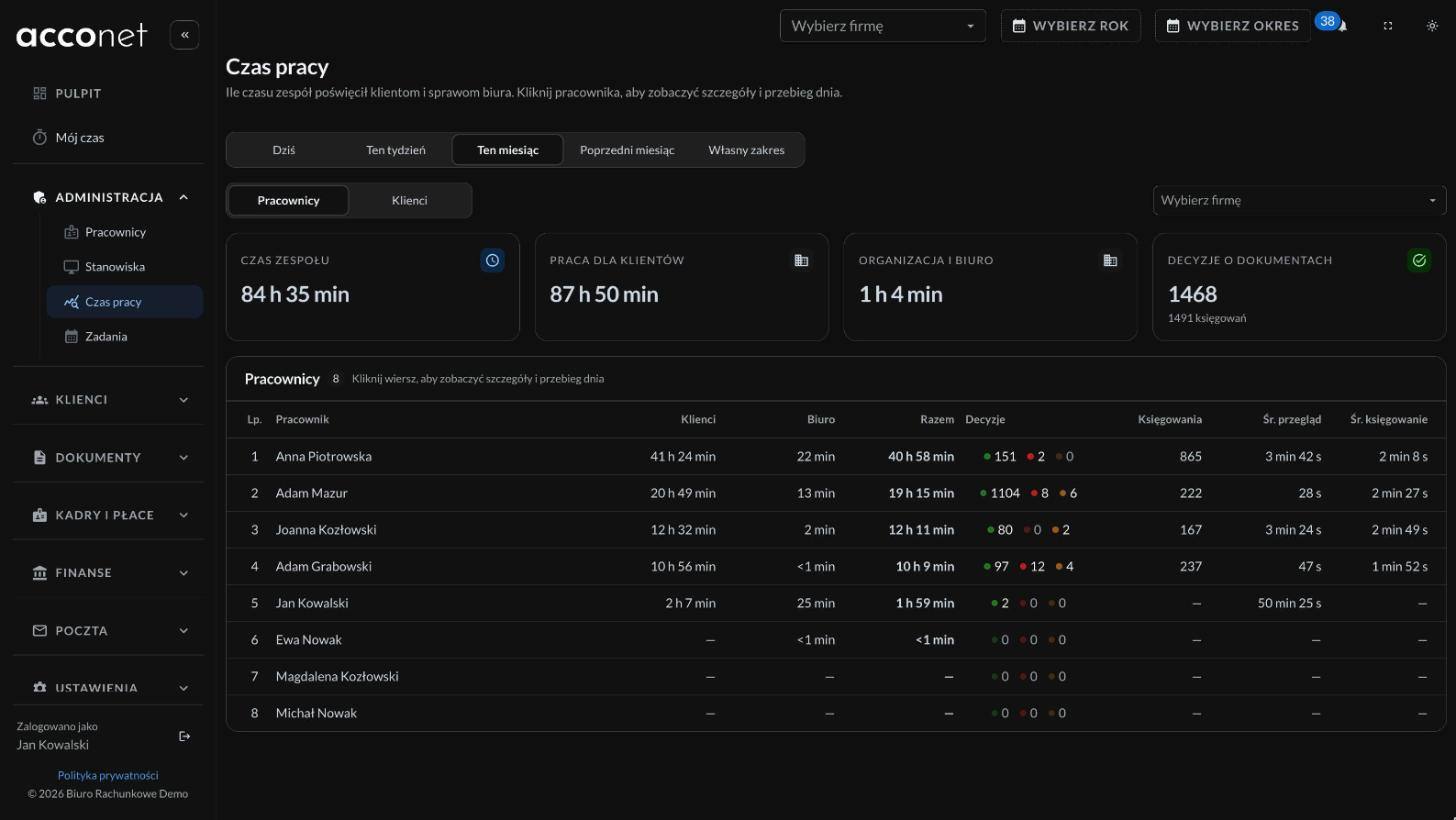 05
Working time assigned to each client
A small app on the firm’s computers recognises which company the accountant is working on in the accounting software and books the time to that company. It pauses when the computer is idle. It takes no screenshots and reads no keystrokes, because it does not need to.
- Works with Symfonia and WAPRO accounting software
- Time report for every client in the panel
What the firm gained.
-
Order that does not depend on people
Over 50,000 documents are named by one convention, so a year-old invoice is one search away.
-
KSeF without the daily log-in
Invoices for all 76 companies are pulled in automatically.
-
Fewer calls from clients
Clients see the status of their document, so they do not need to ask.
-
The cost of each client is known
The firm knows how much time each company takes and can reflect it in the price.
- Application
- Python and Django REST Framework, React and TypeScript, PostgreSQL
- AI
- Gemini on Google Vertex AI, OpenAI
- Infrastructure
- AWS, Kubernetes, Terraform
The first step is a 30-minute call.
Does your firm also lose time collecting and sorting documents? A free 30-minute consultation shows what can be automated in your case.